
Have you ever heard footsteps behind you in a video game or a concert hall come alive in your headphones? That convincing sense of direction doesn’t happen by accident. It’s powered by HRTF, or Head-Related Transfer Function — a personalized acoustic fingerprint that describes how your head, ears, and torso shape sound before it reaches your eardrums.
In this article, we’ll explain what HRTF is in plain language, why it’s the secret behind immersive 3D audio, and how it improves spatial audio in games, VR, and everyday listening. You’ll also learn practical ways to take advantage of it.
Introduction
If you have ever put on a pair of headphones and felt a shiver when a sound seemed to come from behind your left shoulder, you have experienced spatial audio. At the heart of that illusion is a set of mathematical rules called HRTF. HRTF stands for Head-Related Transfer Function, and it describes how your head, ears, and torso change the sound waves that reach your eardrums depending on the direction the sound comes from. This article explores What Is HRTF and How Does It Improve Spatial Audio with clear, practical guidance. You do not need an engineering degree to understand the basics, and you do not need to buy exotic gear to benefit from them. Whether you are a gamer, a music lover, a virtual reality user, or someone who simply wants better sound from your headphones, understanding HRTF will help you make smarter choices. The goal here is not to turn you into an acoustics researcher. Instead, it is to give you a plain-language explanation, a realistic view of what HRTF can and cannot do, and a step-by-step approach you can apply today.
Key Concepts
Before diving into the details, it helps to nail down a few core ideas. These concepts come up again and again whenever HRTF is discussed, and knowing them will make the rest of this guide much easier to follow.
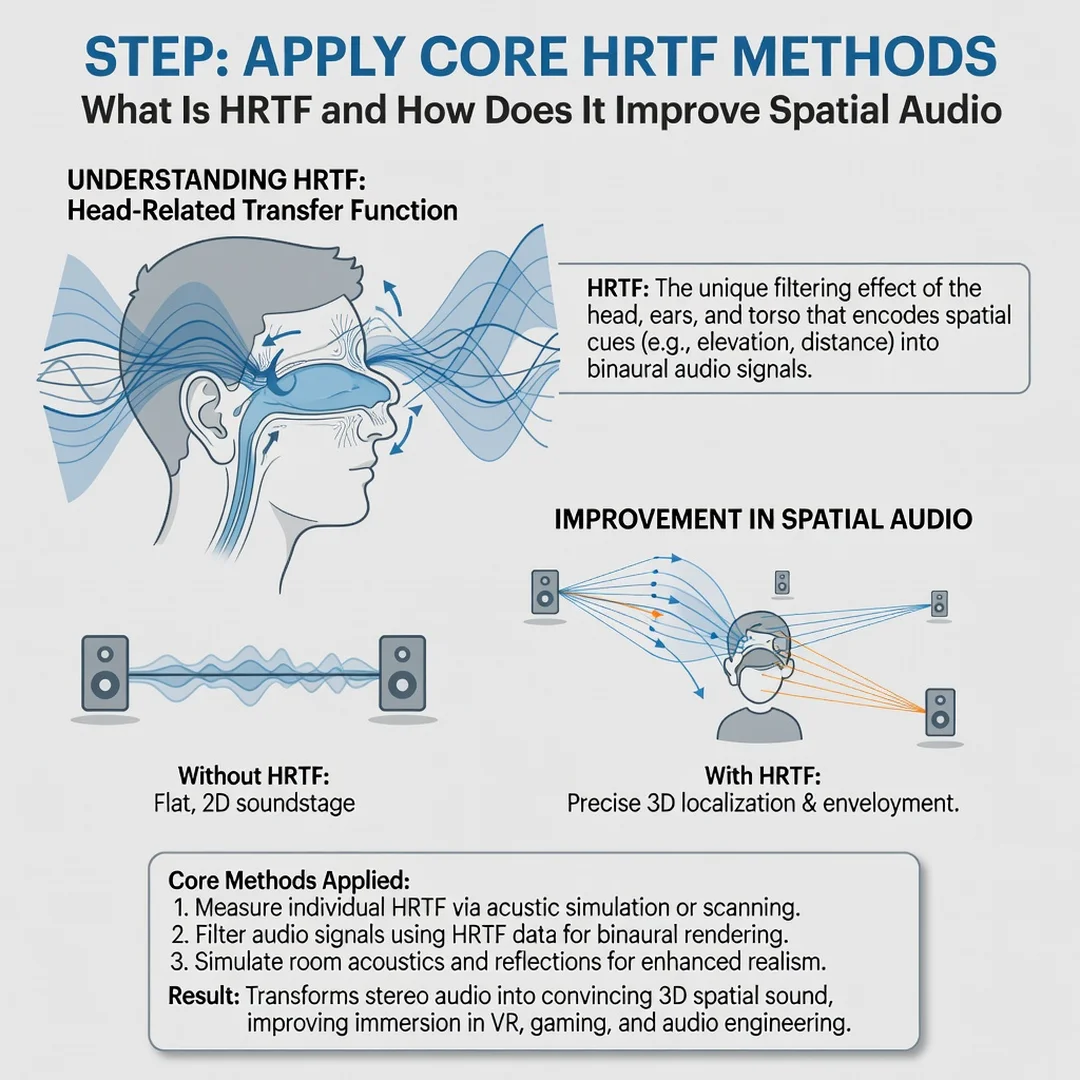
The anatomy of the HRTF
Your brain figures out where a sound is coming from by comparing tiny differences in what each ear receives. If a sound comes from your right, it arrives at your right ear a fraction of a millisecond earlier and slightly louder than at your left ear. But timing and volume alone are not enough. The shape of your outer ear, or pinna, acts like a complex filter. It bounces and delays certain frequencies depending on the vertical angle of the sound. Your head casts an acoustic shadow that muffles high frequencies coming from the opposite side. Your torso reflects sound too. The HRTF is the combined effect of all these physical features, measured as a set of filters that vary with direction and frequency.

Generic versus personalized HRTF
No two people have exactly the same head size, ear shape, or shoulder width. That means everyone has a slightly different HRTF. Most consumer products use a generic HRTF based on an average head and torso model, or on measurements from a small group of people. A generic HRTF works surprisingly well for many listeners, but it can cause front-back confusion or make sounds feel like they are inside your head rather than out in the world. Personalized HRTF, created from measurements or photographs of your own ears and head, can improve accuracy significantly. The trade-off is cost and complexity.
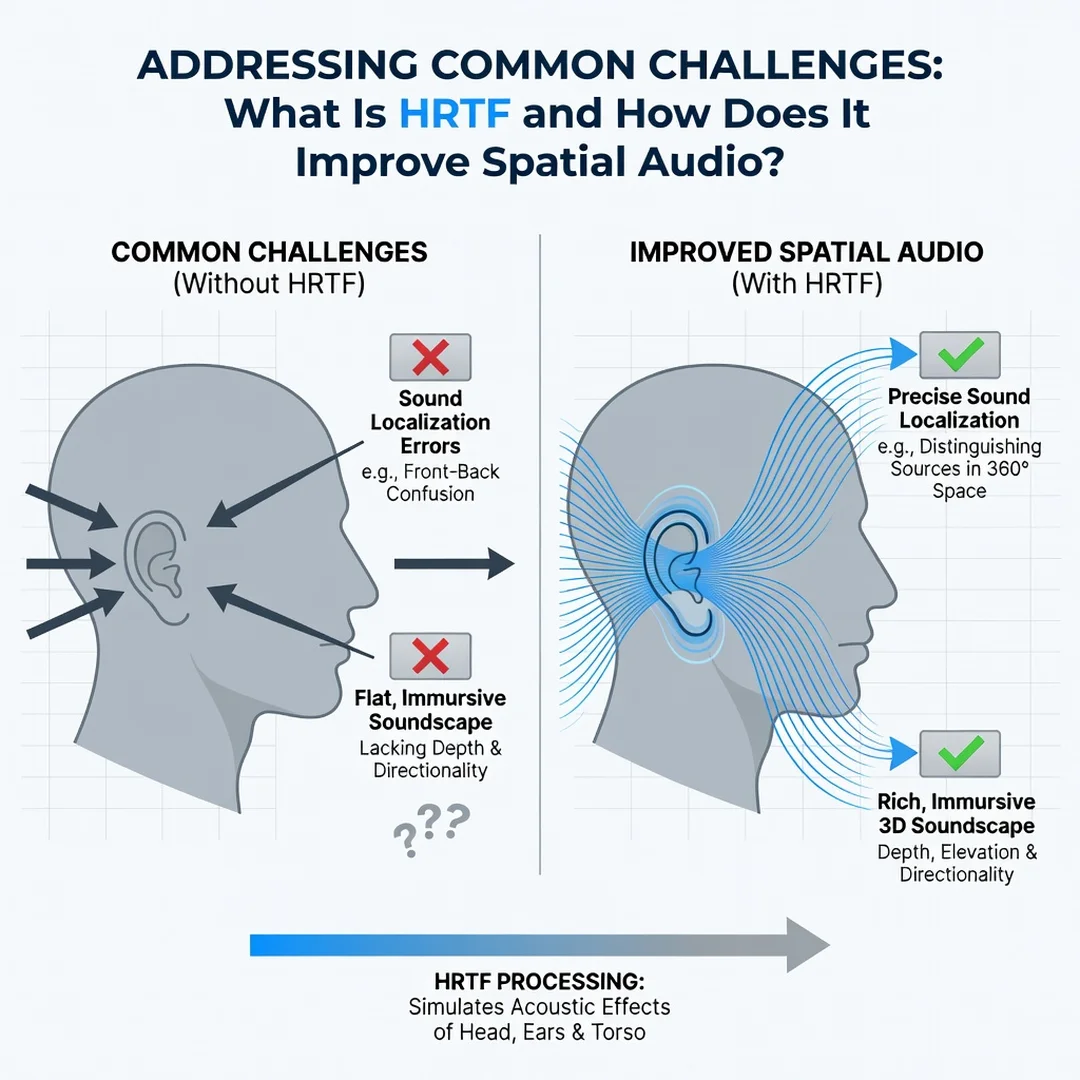
How HRTF connects to spatial audio
Spatial audio is any technology that places sound in a three-dimensional space around the listener. HRTF is the key that unlocks that illusion over headphones. Without HRTF filtering, a stereo track simply plays in two channels and feels flat. With HRTF, an audio engine can take a mono sound source and process it so that it appears at any point on a virtual sphere around your head. This is why HRTF is central to virtual reality, video games, 360-degree video, and even some music mixes.

Common formats and terms
- Binaural audio: Audio recorded or processed specifically for headphone playback, often using HRTF.
- Ambisonics: A format that captures a full spherical sound field and can be decoded to headphones using HRTF.
- Object-based audio: Formats like Dolby Atmos that store sounds as objects with position metadata, then render them using HRTF for headphone output.
- Head tracking: Sensors that detect when you turn your head and update the HRTF rendering so the virtual sound field stays fixed in space.
Deep Dive
Now that the vocabulary is clear, let us look at how HRTF actually improves spatial audio and where its limits lie. Understanding the fundamentals of What Is HRTF and How Does It Improve Spatial Audio helps you make informed decisions, whether you are choosing headphones, configuring software, or just trying to get more enjoyment from your media.
From measurement to playback
Creating an HRTF usually starts in an anechoic chamber, a room designed to absorb all sound reflections. Tiny microphones are placed inside a listener’s ear canals. Then a speaker plays a test signal from hundreds of different directions around the person. The recorded signals are compared to the original test signal to calculate the filtering effect of the head and ears for each direction. The result is a database of impulse responses. During playback, a spatial audio engine takes each sound source, looks up the appropriate HRTF filter for its direction, and convolves the audio with that filter. The processed left and right channels are sent to your headphones, and your brain interprets the result as a sound coming from that direction.
What HRTF improves
- Localization accuracy: You can tell not just left from right but also front, back, above, and below with much greater precision.
- Externalization: Sounds feel like they are outside your head rather than stuck between your ears.
- Immersion: Games, movies, and virtual experiences become more convincing because the audio matches the visual scene.
- Fatigue reduction: When spatial cues are consistent, your brain spends less effort decoding the scene, which can reduce listening fatigue over long sessions.
What HRTF cannot do
HRTF is powerful, but it is not magic. A generic HRTF may not match your personal anatomy, so some directions will still feel ambiguous. HRTF cannot overcome poor source material; a low-quality mono recording will not become a rich 3D experience just because it is processed. Reflections and reverberation in the original recording can also conflict with the spatial processing. Finally, HRTF is most effective over headphones. Loudspeaker-based spatial audio uses a different set of principles, though HRTF still plays a role in crosstalk cancellation and virtual speaker rendering.
The role of head tracking
Static HRTF processing can be very convincing, but head tracking takes it to another level. When you turn your head, the direction of each sound source relative to your ears changes. Without head tracking, the virtual sound field rotates with your head, which breaks the illusion. With head tracking, the audio engine recalculates the HRTF in real time so the sound stays anchored to the world. This is why head tracking is a standard feature in high-end spatial audio systems for virtual reality and professional monitoring.
Real-world applications
HRTF is not a niche technology. It is used in video games to help players hear footsteps behind them, in virtual reality training simulations to create realistic environments, in hearing aids to improve speech understanding, and in music production for binaural mixes. Streaming services now offer spatial audio versions of albums and films that rely on HRTF rendering for headphone listeners. Even some smartphones include spatial audio features that use HRTF to create a wider soundstage from stereo speakers or earbuds.
Best Practices
Getting the most out of HRTF does not require a laboratory. These practical habits will help you achieve better results with the gear and software you already own.
- Use over-ear headphones when possible. They tend to provide more consistent coupling to the ear and allow the HRTF filters to work as intended. In-ear monitors can work well too, but fit and seal matter a great deal.
- Enable head tracking if available. It dramatically improves externalization and reduces the feeling that the sound is stuck in your head.
- Choose the right HRTF profile. Some apps offer multiple generic profiles or a personalization process. Take the time to try them and pick the one that feels most natural.
- Avoid excessive EQ before spatial processing. Boosting bass or cutting treble can interfere with the subtle cues HRTF relies on. Apply EQ after the spatial renderer if your setup allows it.
- Test with familiar content. Use a few well-known tracks, games, or movies to evaluate different settings. Your ears will notice differences faster when you know what to expect.
- Keep your ears clean and your headphones maintained. Physical obstructions and worn ear pads can change the acoustics and undermine HRTF accuracy.
- Update your software. Spatial audio engines improve over time. Firmware and app updates often include better HRTF models and bug fixes.
Reliable information and consistent habits lead to better long-term outcomes. Do not chase every new setting. Instead, establish a baseline that works for you and adjust only when you have a clear reason.
Step-by-Step Guide
Follow these steps to go from curious beginner to confident user of HRTF-based spatial audio.
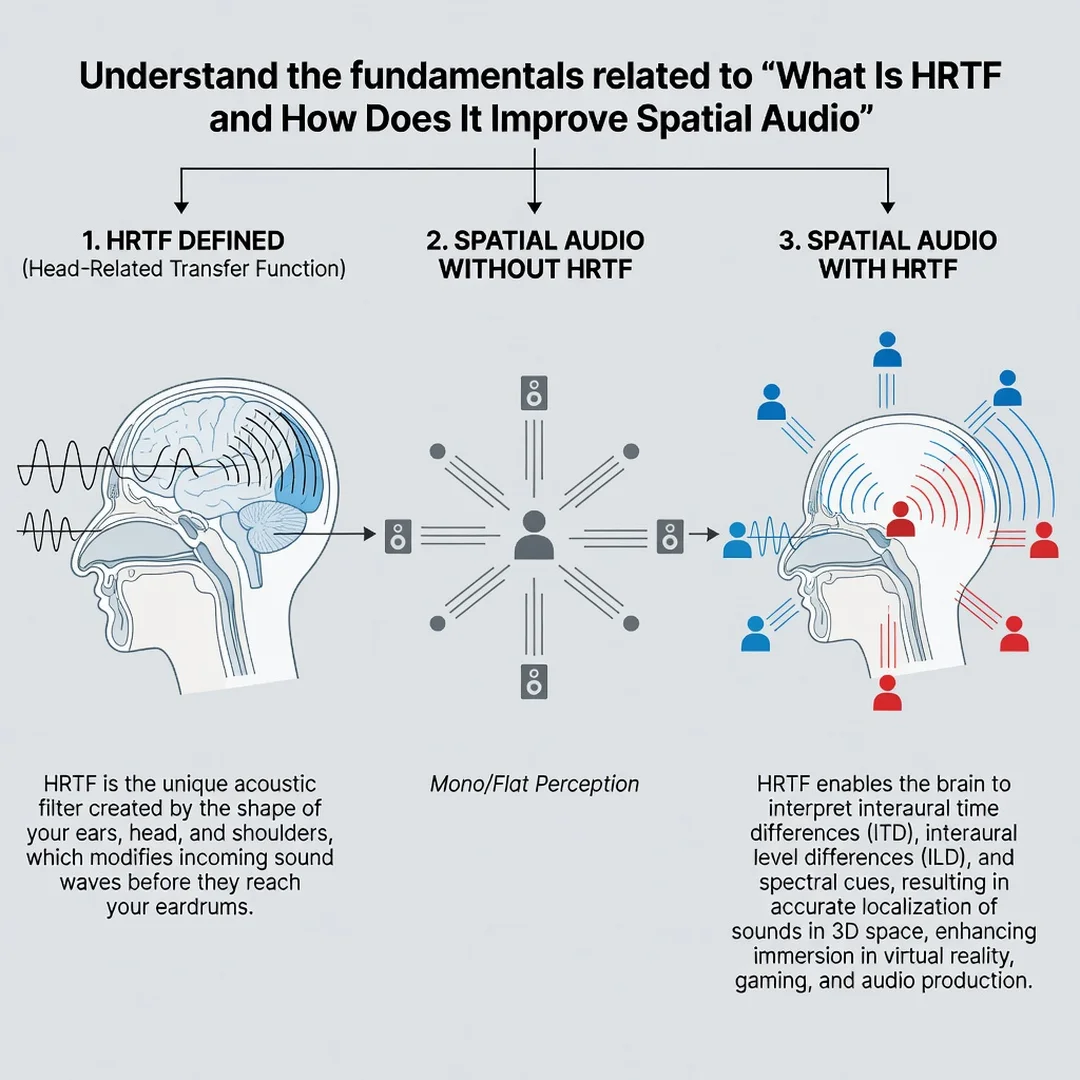
Step 1: Understand the fundamentals
Spend a little time learning what HRTF is and how it works. Read a reputable article or watch a short explainer video. The goal is not to memorize equations but to understand that HRTF is a direction-dependent filter created by your head and ears. This knowledge will help you interpret what you hear and make better decisions about settings.
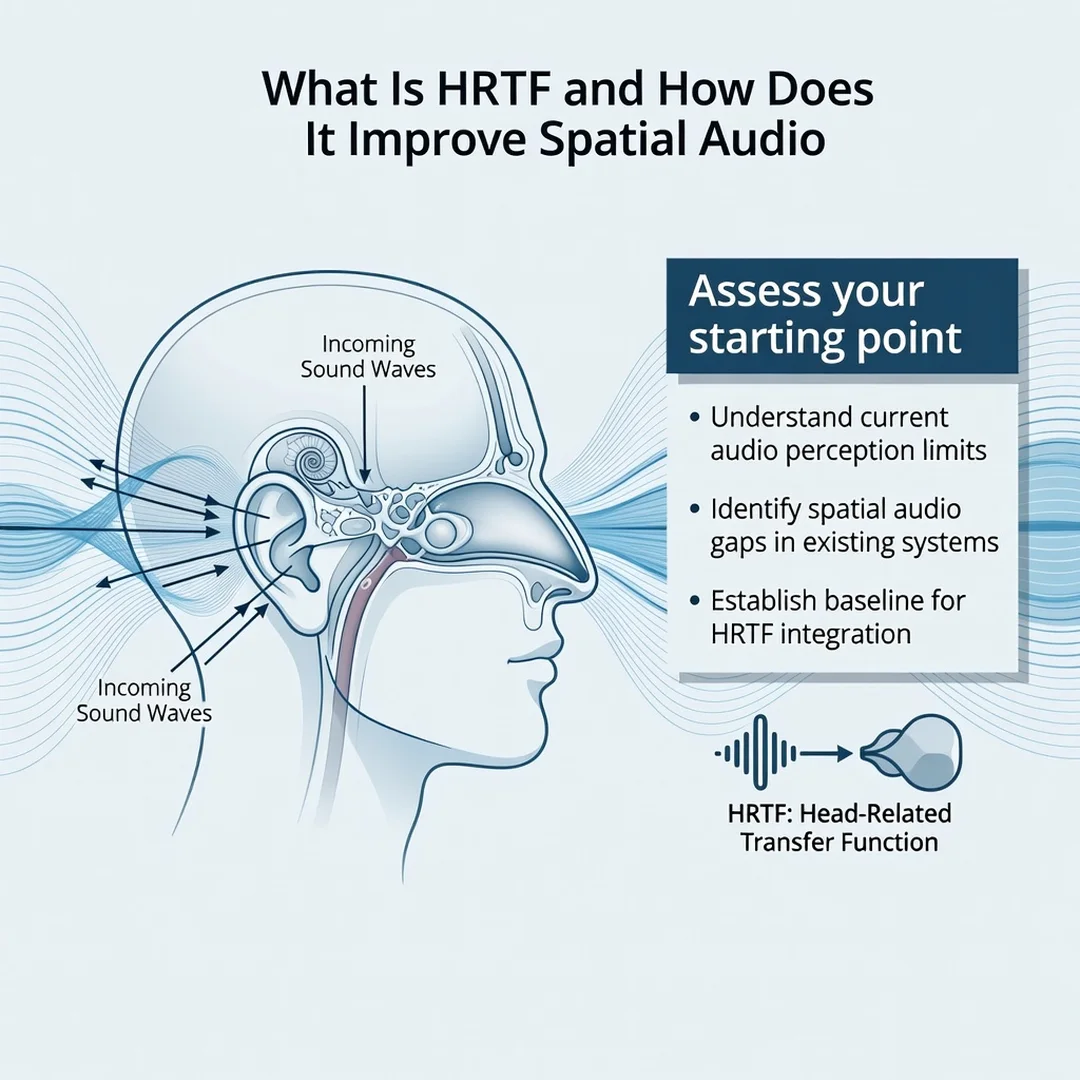
Step 2: Assess your starting point
Take stock of your current equipment and software. What headphones do you use? Does your computer, phone, or console support spatial audio? Do you have any games or media that use binaural or object-based audio? Write down what you have and what you are missing. This baseline will guide your next steps.
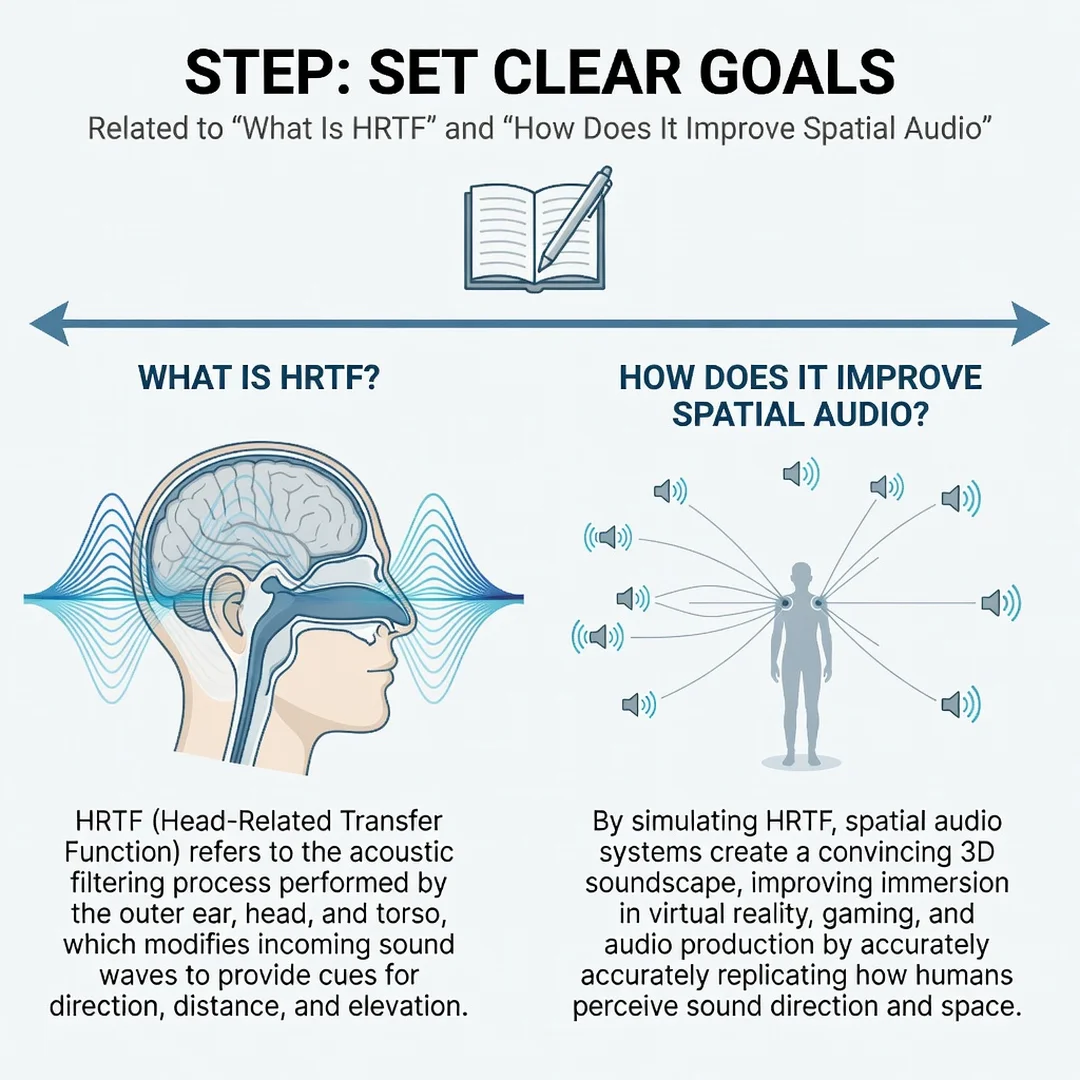
Step 3: Set clear goals
Decide what you want to achieve. Are you trying to gain a competitive edge in games? Do you want more immersive movie nights? Are you exploring music in a new way? Your goal will determine how much time and money to invest. A gamer might prioritize head tracking and low latency, while a music listener might focus on personalized HRTF and high-quality headphones.
Step 4: Gather necessary resources
Collect the tools you need. This might include a compatible pair of headphones, a spatial audio app or plugin, and content that supports spatial audio. If personalization is available, find out what it requires, such as ear photos or a measurement session. Make sure your.
You now have a solid foundation for What Is HRTF and How Does It Improve Spatial Audio. Apply the best practices above and revisit this guide as your needs evolve.